Accessible with bit.ly/frozen-soft and thanks for visiting | Please don't skip onto the direct link, whereupon use the ADF.LY/J.GS links, that really helps and means a lot to me | If you're using Chrome Browser, you can type frozen-soft.blogspot.com then press SPACE to search


You're on: Music
Showing posts with label Music. Show all posts

Saturday, May 31, 2014

Ableton Live Suite 9


Create, produce and perform. Create ideas, make changes without stopping, and capture everything as you work. If you've used music software before, you're already familiar with one half of ABLETON LIVE. Live's Arrangement View is a familiar working space: time moves from left to right, while tracks are stacked vertically.

But LIVE also features the revolutionary Session View: a uniquesketchpad for improvising, playing and performing with musical ideas, without the constraints of the timeline. Freely and independently start and stop any number of audio or MIDI loops - everything stays in sync. Almost everything in Live works in real-time - add, reorder or remove devices, play with Live's flexible track routing and more all without interrupting your creative flow.

FEATURES [NEW]
SESSION AUTOMATION
In Session View, automation can now be recorded in real time directly within clips. Automation can move together with clips between Arrangement and Session View

FIND SOUNDS FAST
Live's new browser puts all instruments, effects, samples, and plug-ins in one easy-to-navigate view. Drag and drop folders from anywhere on your computer, search as you type and navigate from the keyboard to find everything quickly

DISCOVER NEW SOUNDS
Live comes with a large selection (3,500 in the Suite edition) of production-ready sounds, which were carefully crafted with the help of over 40 artists, sound designers and engineers. All sounds feature Macro controls for fast access to their most meaningful, musical parameters

GET YOUR SOUND RIGHT
Live's studio effects have all been reworked for even better sound and usability. The Glue Compressor is a new effect - an authentic model of a legendary 1980s console bus compressor. EQ Eight has an audition mode for isolating frequencies and an expandable spectrum display. The Gate and Compressor effects feature a Gain Reduction view which shows changes in signal level over time

EXTRACT MUSIC FROM SAMPLES
Live's new Harmony, Melody and Drums To Midi tools extract natural-feeling MIDI directly from the favourite parts of your music collection. You can also sing, tap a rhythm, play any solo instrument, then use Melody or Drums to MIDI to turn your recordings into MIDI clips that you can edit and reuse with any sound

EDIT DETAILS
Transpose, reverse and stretch MIDI notes or warp clip automation and add curves to automation envelopes. New tools and an improved workflow allow fast and flexible editing of musical ideas

MAX FOR LIVE SUITE
The Suite edition of Live 9 comes with Max for Live and its many unique instruments, effects and tools. Max for Live itself includes 24 new devices such as a convolution reverb, new drum synthesizer instruments, MIDI echo as well as reworked versions of classics such as Step Sequencer and Buffer Shuffler 2.

WHAT'S NEW (v9.1.0)
  • Added dual monitor support
  • When exporting audio, sample-rate conversion is now done using the high-quality SoX Resampler Library, resulting in higher quality exports when rendering to a lower sample rate
  • Live now uses multiple CPU cores when exporting audio and the normalisation process is faster than before
  • When exporting audio files from Live with the option "Create Analysis File" enabled, Live will now save warp markers with the .asd file, so that information about the original tempo and tempo changes are correctly reused when re-importing the audio file into Live later on
  • The 'Export Audio / Video' export dialog has been improved
    • It shows the same options whether launched from Session or Arrangement View
    • Some of the export settings have been regrouped to provide a better overview
    • -"All Tracks" has been renamed to "Individual Tracks" in the "Rendered Track" chooser
    • The export dialog now shows information about the source and target sample rate
  • The "Open Recent Sets" menu now has a "Clear List" and "Remove Unavailable Sets" option.
  • The menu item "Close Live Set" has been renamed to "Close Window". It will now close any secondary window that is open. If no secondary window is open, it does nothing
  • The audio buffer size is now restricted to power-of-two values. Windows users should note that not all ASIO drivers support this and may still allow to use non power-of-two values. This can lead to a higher CPU load and higher latencies. Ableton recommends to always use power-of-two buffer sizes, i.e. 64, 128, 256, 512,... samples
  • Optimised default presets for Auto Filter, EQ Eight, Saturator, Tension, Simpler, Sampler, Analog, Operator, Electric.
  • Added 10 new Simpler presets to the Core Library
  • Updated manuals, lessons, info texts and translations
  • Minor improvements for usage data reporting
  • When creating a new track by dragging an instrument to the clip/device drop area, Live would keep the last selected clip stand-by-selected. Now it moves the selection to the clip slot that matches the Session View's crosshair

SYSTEM REQUIREMENTS
*Win XP, Win Vista, Win 7, or Win 8
*Mac version available
*Multicore processor
*2 GB RAM
*1024x768 display
*3GB free disk space

DOWNLOAD
ABLETON LIVE 9 SUITE 9.1.0
[TORRENT / MAGNET LINK]
.
Windows
x86 [706.01 MB] or x64 [685.7 MB]

MAC OS
667.68 MB

Posted By Unknown 5/31/2014

Wednesday, January 22, 2014

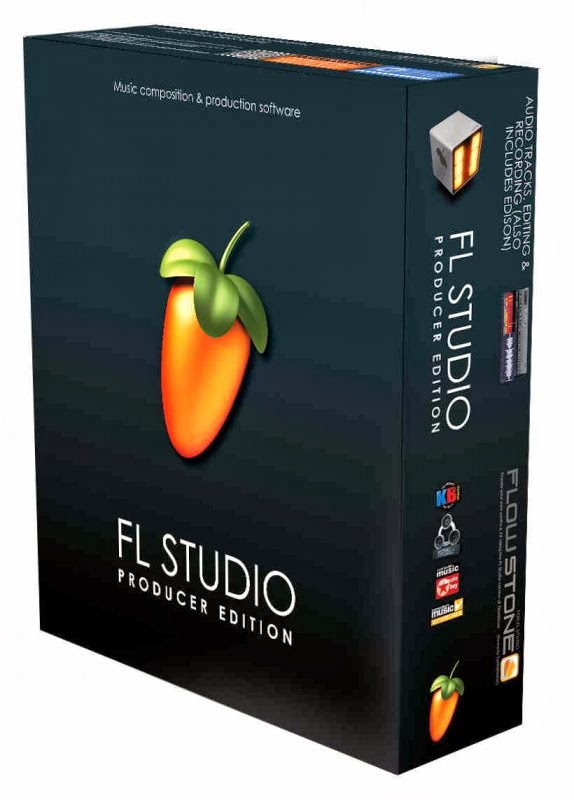
FL Studio™ 11.0.4 Producer Edition +Plugins


FL Studio™ 11 is a complete software music production environment, representing more than 14 years of innovative developments and their commitment to Lifetime Free Updates. Everything you need in one package to compose, arrange, record, edit, mix and master professional quality music.

FL Studio™ 11 is the fastest way from your brain to your speakers

WHAT FL STUDIO™ 11 DO?
  • Audio editing and manipulation including pitch correction, pitch shifting, harmonization, time-stretching, beat-detection & slicing, audio warping and standard audio manipulation (cut/paste etc).
  • Automate most interface and all plugin parameters by recording, drawing, spline-based automation curves, automation generators with formula based control of links.
  • Be hosted in other DAWs as a VST or connected through ReWire.
  • Live music performance including video effect visualization.
  • Mix and remix audio including apply real-time audio effects including delay, reverb & filtering.
  • Multi-track audio recording up to the limit of your audio-interface inputs.
  • Record & play MIDI input recording from keyboards, drum pads and controllers.
  • Sequencing and arranging with pattern and linear workflow possible.
  • Synthesizer & effect plugin hosting VST 32 & 64 bit, DX and FL Native formats.
NEW FEATURES
PERFORMANCE MODE
Trigger Playlist Clips live using a mouse, touch screen, typing keyboard or MIDI controller. Supports APC20/40, Launchpad, Lemur, Block, Maschine/Mikro, padKONTROL, Traktor Kontrol (and more)

MULTI-TOUCH SUPPORT
FL Studio™ and some plugins now respond to Multi-touch with Microsoft gesture functions supported

PLAYLIST
199 Playlist tracks, increased from 99

PLAYLIST & PIANO ROLL
Horizontal & vertical movement locking. Shift is horizontal lock & Ctrl is vertical lock when dragging items

PIANO ROLL
Glue notes, Mouse wheel velocity, Monophonic step entry mode & Chop chords tool

LINKING (INCLUDES MIDI INPUT PORT)
Links now remember the MIDI input port used to avoid conflict between controllers

RIGHT-CLICK DATA ENTRY
Most controls now allow a Right-click option to type in values

PLUG-IN PICKER
Right-click to open a plugin and its presets in the Browser. Start typing plugin names to highlight entries

MIXER
Page Up/Down keyboard keys cycle through the current mixer track's plugin windows

OPTIONS
Play truncated notes in clips restores notes overlapping slice points in Pattern Clips. Click and hold functions. GUI animation level now selectable from sober to entertaining.

NEW PLUGINS
BASSDRUM
Deep Kick-Bass percussion synthesizer with sample layering. BassDrum was developed due to strong and loud customer demand for punchy kicks with a big bottom end. The solution was to take a hybrid synthesis/sample route to provide unlimited customization for the perfect kick sound

GMS (GROOVE MACHINE SYNTH)
Multi-timbral hybrid synthesizer & FX channel lifted from Groove Machine. Another plugin by popular demand

EFFECTOR
Effector was introduced to compliment Performance Mode and is perfect for use with multi-touch displays & controllers

12 performance oriented effects:
  1. Distortion
  2. Lo-Fi bit reduction
  3. Flanging
  4. Phasing
  5. Filter (low/high pass)
  6. Delay
  7. Reverb
  8. Stereo panning and binaural effect
  9. Gating
  10. Granulizer
  11. Vocal formant
  12. Ring modulation effects
PATCHER
Introduced with FL Studio™ 10 to provide a means of saving and recalling commonly used effects and plugin chains. It’s in the new section as, aside from being overhauled with animated connections and a fresh interface, patcher has gained two, of many more to come, Voice Effects (VFX)

VFX KEY MAPPER
Allows note inputs, live or from the Piano roll, to be transposed, keychanged, chorded or creatively remapped

VFX COLOR MAPPER
Leverages FL Studio€'s™ 16 Piano roll note colors that have traditionally mapped to MIDI channels. Now inside Patcher note colors can control 16 independent generators/instruments or groups of generators

UPDATED PLUGINS
FL FLOWSTONE
Flowstone is the successor to the original Synthmaker program. Now including the Ruby high level programming language. Not only can you still create Synths, Effects but also control external hardware with support for USB devices, I/O cards, Wi-Fi, webcams and audio hardware. It’s true… connected to the right robot, FL Studio™ is the first DAW in the world that can now make you a coffee!

NEWTONE 2
Has been completely re-written with a new analysis and pitch engine for more accuracy, while also brushing up the workflow. Shortcuts & mouse actions now harmonize with FL Studio's™ Piano roll and Playlist, where possible. Most exciting are the new Vibrato and Warp editors. The Vibrato editor allows users to create vibrato effects from scratch with controls including start/end amount and frequency. The editor even detects existing vibrato and displays this value so users can match the singers natural tendency, if desired. The Warp editor is designed to work with mono or polyphonic material and is perfect for slicing and re-timing/quantizing drum-loops, vocal performances and is great for sounddesign experimentation. Importantly, Newtone 2 is a free update for existing customers

HARMOR
Rising star of the Electro and Dubstep scene, voted in the top 10 plugins of 2013 by MusicRadar readers, now supports Komplexer WT wavetables & 'Map audio regions to keys' for sampler like functionality and auto-dump to score for Slicex like drum handling. The preset count continues to rise too as patches keep flooding in from the thriving user base

ZGAMEEDITOR VISUALIZER
Based on the free open source ZGameEditor that can be used to create 2D & 3D video game style visualization objects for the plugin. ZGE Visualizer can create real-time or rendered HD video effects in automated or automatic sync with FL Studio™ projects to support live performances or YouTube videos. Under FL Studio™ 11 the plugin receives a slew of new shadier modules for stunning HD video effects

DIRECTWAVE
Added multi-timbral mode to the FL native version so you can load and play more than one patch from note colors in the Piano roll. There’s also a new live 16 point sincinterpolation mode for lower CPU usage when using DirectWave in multi-timbral mode

WHAT'S NEW? 11.0.4 (Nov 15th, 2013)
ADDITIONS
  • Added several supported controllers
  • Updated "Sacco - Goldener Schnitt.flp"
  • IL Remote support
  • Novation Launch Control support
  • DJ TechTools Midi Fighter 3D support
  • Electrix Tweaker support
  • Livid CNTRL-R support
  • Livid BASE support
BUGFIXES
  • Fixed creation of extra row when starting to drag main toolbar
  • Fixed string comparison in browser for unicode characters
  • Fixes in controller support
  • Control Surface
    • Fixed oversized sliders after saving and loading a preset or song
    • Fixed label width when loading settings
  • DrumSynth Live
    • Fixed saving of "auto" option
  • Edison
    • Fixed drag/drop to FL browser
  • FPC
    • Fixed import of newer DW programs
  • Newtone
    • Fixed wav save bug (only 1-1.5 seconds exported)
    • Updated engine (bugfixes, works more like FL playlist)
    • Move around with arrow keys
    • Fixed bug restoring some settings
  • Patcher
    • Fixed incorrect gui size showing plugin editors after loading old settings
    • Removed "notes" node from FL input module in effect version
    • Fixed handling of midi note on/off for effect plugins
    • Fixed next/prev preset buttons not showing for some plugins
    • Fixed loading of SimSynth in saved songs/presets
    • Fixed samplerate related problem with Synth1 presets
  • ReWired
    • Fixed bug hiding plugin editor
    • Fix for device enumeration
  • Wave Traveller
    • Fixed invisible editor bug the first time it's shown in Patcher
    • Fixed keyboard input in some VST3 plugins
    • Added context menu support for (some) VST 3.5 plugins
    • Fixed crash with MeldaProduction MCompressor param changes (VST3)
    • Fixed potential memory leak for VST3 plugins
    • Improved forwarding keyboard messages from plugin to host (VST2)
    • Fixed bug updating parameter display for interfaceless editors (VST2)
SYSTEM REQUIREMENTS
  • 2Ghz Intel Pentium 4 / AMD Athlon 64 (or later) compatible CPU with full SSE2 support. The faster your CPU and more cores it has the more you will be able to do simultaneously. Download and test the demo!
  • 32 or 64 Bit versions of Windows 8, Windows 7, Vista, XP (with service pack 3)
  • (or) Intel Mac with Boot Camp / Windows. Running XP (with service pack 3), Vista or Windows 7 (in 32 or 64 Bit)
  • 1 Gb or more RAM recommended
  • 1 Gb free disk space
  • Soundcard with DirectSound drivers. ASIO/ASIO2 compatible required for audio recording (FL Studio™ installs with generic ASIO4ALL drivers)
DOWNLOAD
FL Studio™ 11.0.4 Producer Edition +Plugins
MAGNETLINK
(FL Setup - 300 MB) + (FL Plugins Bundle - 446 MB)
by ChingLiu

Posted By Unknown 1/22/2014

Saturday, December 28, 2013

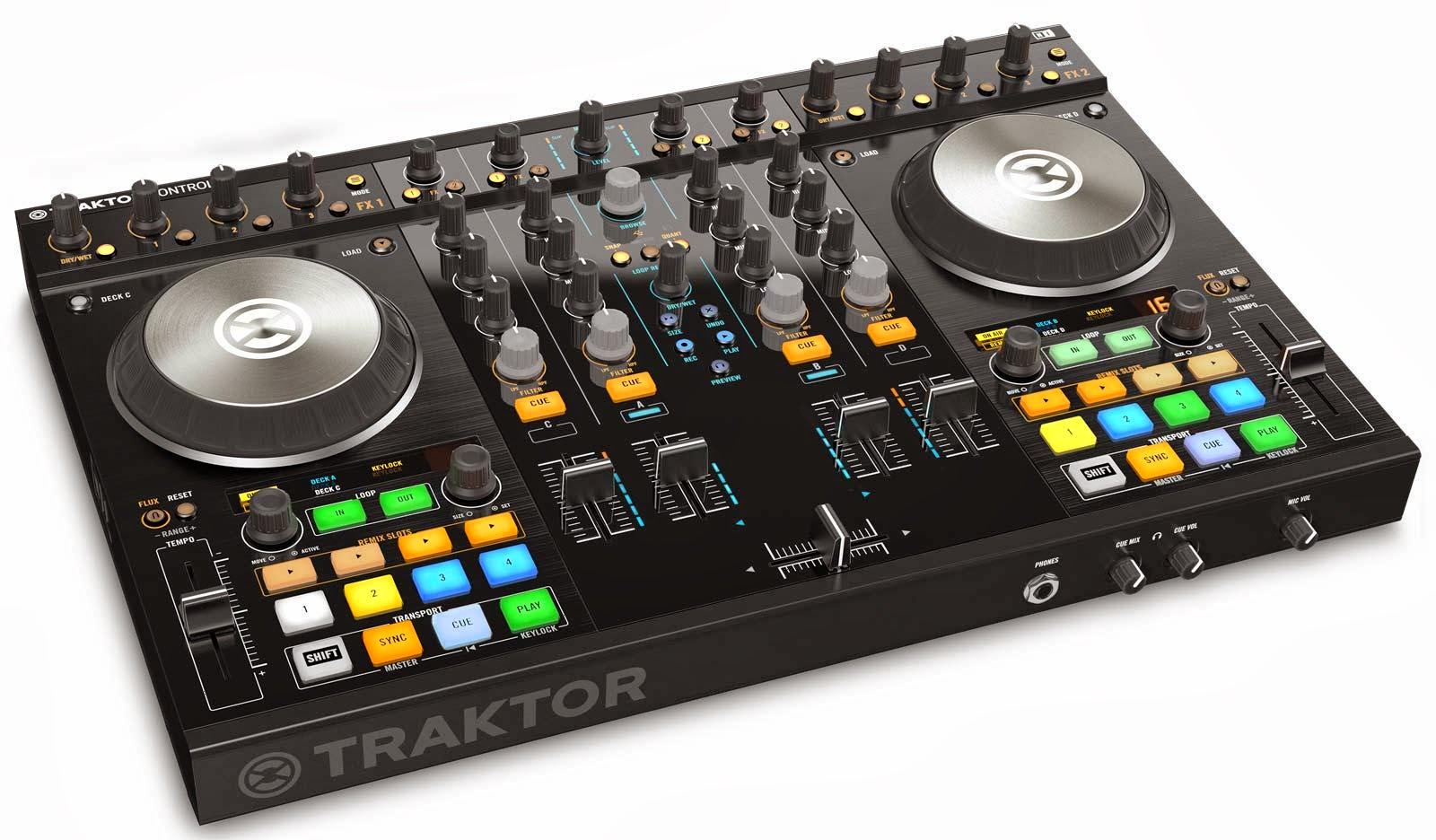
Native Instruments Traktor Pro v2.6.2

TRAKTOR is the pro platform that top DJs trust, and TRAKTOR PRO 2 with Remix Deck™ technology is the most advanced version of TRAKTOR ever. Perform your mix on up to four decks, featuring TruWave colored waveforms, powerful looping and cueing functionality and an exceptional effects suite.

TRAKTOR PRO 2 is Ready to Remix. Get started in seconds, fire up the Remix Decks and seamlessly merge the worlds of DJing and live performance.

REMIX HAS LANDED
TRAKTOR PRO 2’s groundbreaking new Remix Decks allow for spectacular live remixing and re-arranging of tracks.

Start jamming with the powerful loop suite and included TRAKTOR loop content. Each of the 64 slots can hold a loop or one-shot sample – load sounds from your hard drive or by capturing loops live from your DJ set. Save them as Remix Sets and build up your own loop library - the potential for rocking completely unique live performances is endless.

GET IN THE MIX
Crate Flick cover art browsing and full iTunes® and iPod® integration makes finding the right track effortless. TRAKTOR’s acclaimed sync concept and beat grid feature ensures that your tunes beat-match perfectly.

Load any track and TRAKTOR will analyze and ‘beat-grid’ it automatically - no matter what the genre is - leaving you to focus on the more exciting performance aspects of DJing. TRAKTOR PRO 2’s built-in mixer integrates multiple EQ and filter types, giving you full control of the frequency spectrum.

FUEL FOR YOUR REMIX DECKS
Experience a new creative high with TRAKTOR Remix Sets, in collaboration with Native Instruments' partners Beatport and Whatpeopleplay.com. and more. Or dive into the wide range of free Remix Sets, with sounds from the most successful MASCHINE Expansions, a selection of cutting-edge genre packs, and more.

Ready for immediate use with TRAKTOR’s Remix Decks and TRAKTOR KONTROL F1, these all-in-one packs give you top tracks by renowned artists, split up into loops and one-shot samples. Recreate tracks live, make on-the-fly remixes, or remodel them into something completely your own.
Traktor Remix Sets HERE

TOTAL FLEXIBILITY
TRAKTOR offers total flexibility: Whatever your personal style or needs, there is the ultimate TRAKTOR set up for you. Both TRAKTOR KONTROL S2 and TRAKTOR KONTROL S4 provide an all-in-one, professional package for DJs of all levels and genres, with no extra DJ gear required.

Use TRAKTOR with an external hardware mixer, and the TRAKTOR KONTROL X1 can handle transport functions plus looping, hot cues and effects. For the ultimate creative boost, TRAKTOR KONTROL F1 provides intuitive control over TRAKTOR’s Remix Decks.

Beatmakers and producers can even expand TRAKTOR with the groove production studio MASCHINE. Tempo sync is automatic, and TRAKTOR's Auto Detection makes connecting and disconnecting NI hardware easy – even while your tracks playing.

TRAKTOR CONTROLLERS
Buy the TRAKTOR KONTROL F1 for $249/249€ $199/199€
The definitive hardware for controlling the brand new
powerful Remix Decks™ in TRAKTOR PRO 2.5
More info about this controller HERE

Buy the TRAKTOR KONTROL X1 for $199/199€
Plug & Play control over TRAKTOR's cueing, looping and effects
More info about this controller HERE

Buy the TRAKTOR KONTROL S2 for $499/499€
2.1 channel performance DJ system

More info about this controller HERE

Buy the TRAKTOR KONTROL S4 for $799/799€
Performance DJ system

More info about this controller HERE

MORE OF NATIVE INSTRUMENTS' PRODUCTS HERE

SOURCE: www.Native-Instruments.com


DOWNLOAD
TRAKTOR PRO 2 (v2.6.2)
MAGNETLINK - 283.15 MB

Posted By Unknown 12/28/2013

 
Claim Free Satoshis Now!