Accessible with bit.ly/frozen-soft and thanks for visiting | Please don't skip onto the direct link, whereupon use the ADF.LY/J.GS links, that really helps and means a lot to me | If you're using Chrome Browser, you can type frozen-soft.blogspot.com then press SPACE to search


Friday, March 16, 2012

Windows 8 Consumer Preview + Product Key

Label:


Windows 8 is the upcoming version of Microsoft Windows that follows Windows 7. It features a new Metro-style interface that is designed for touchscreen, mouse, keyboard, and pen input. It also adds support for the ARM processor architecture in addition to the previously supported x86 microprocessors from Intel and AMD. Its server counterpart is codenamed Windows Server 8. A release date for the finished version of Windows 8 has not yet been announced. The most recent pre- release version is the Consumer Preview, which was released on February 29, 2012.
 
Development
Early announcements
In January 2011, at the Consumer Electronics Show (CES), Microsoft announced that Windows 8 would be adding support for ARM microprocessors in addition to the x86 microprocessors from Intel, AMD and VIA.
On June 1, 2011, Microsoft officially unveiled Windows 8 and some of its new features at the Taipei Computex 2011 in Taipei (Taiwan) by Mike Angiulo and at the D9 conference in California (United States) by Julie Larson-Green and Microsoft's Windows President Steven Sinofsky. The main feature that was shown was the new user interface.
On August 15, 2011, Microsoft opened a new blog called "Building Windows 8" for users and developers.
Milestone leaks
  • A 32-bit Milestone 1 build, build 7850, with a build date of September 22, 2010, was leaked to BetaArchive, an online beta community, and to P2P/torrent sharing networks as well on April 12, 2011. Milestone 1 includes a ribbon interface for Windows Explorer, a PDF reader called Modern Reader, an updated task manager called Modern Task Manager, and native ISO image mounting.
  • A 32-bit Milestone 2 build, build 7927, was leaked to The Pirate Bay on August 29, 2011 right after many pictures leaked on BetaArchive the day before. Features of this build are mostly the same as build 7955.
  • A 32-bit Milestone 2 build, build 7955, was leaked to BetaArchive on April 25, 2011. Features of this build included a new pattern login and a new file system known as Protogon, which is now known as ReFS and only included in server versions.
  • A Milestone 3 build, build 7971, was released to close partners of Microsoft on March 29, 2011 but was kept under heavy security. However, a few screenshots were leaked. The "Windows 7 Basic" theme now uses similar metrics to the Aero style, but maintains its non-hardware accelerated design, and also supports taskbar thumbnails. The boxes that encase the "close, maximize, and minimize" buttons have been removed, leaving just the signs.
  • A 64-bit Milestone 3 build, build 7989, leaked to Win7vista on June 18, 2011 after screenshots were revealed on MDL (My Digital Life) forums. An SMS feature, a new virtual keyboard, a new bootscreen, transparency in the basic theme, geo-location services, Hyper-V 3.0, and PowerShell 3.0 were revealed in this build.
Windows 8 on laptop


Developer preview and BUILD conference
Microsoft unveiled new Windows 8 features and improvements on September 13, 2011, day one of the BUILD developer conference. Microsoft also released a developer preview (build 8102) of Windows 8 for the developer community to download and start working with. This developer preview includes tools for building "metro style apps", such as Microsoft Windows SDK for Metro style applications, Microsoft Visual Studio 11 Express for Windows 8 Developer Preview and Microsoft Expression Blend 5 developer preview. According to Microsoft, there were more than 500,000 downloads of the developer preview within the first 12 hours of its release. The Developer Preview introduced the Start screen. The Start button opens the Start screen instead of the Start menu in this build.
On 16 February 2012, Microsoft postponed the expiration date of the developer preview. Originally set to expire on 11 March 2012, this release is now set to expire on 15 January 2013.

Consumer Preview
On 29 February 2012, Microsoft released Windows 8 Consumer Preview, the beta version of Windows 8, build 8250. For the first time since Windows 95, the Start button is no longer available, though the Start screen is still triggered by clicking the bottom-left corner of the screen. Windows president Steven Sinofsky said more than 100,000 changes had been made since the developer version went public. In the first day of its release, Windows 8 Consumer Preview was downloaded over one million times.

Metro UI
Windows 8 will employ a new user interface based on Microsoft's Metro design language. The Metro environment will feature a new tile-based Start screen similar to the Windows Phone operating system. Each tile will represent an application, and will be able to display relevant information such as the number of unread messages on the tile for an email app or the current temperature on a weather application. Metro-Style applications run in full-screen, and are able to share information between each other using "contracts". They will be available through the new Windows Store. Metro-Style apps are developed with the new Windows Runtime platform using various programming languages, including C++, Visual Basic, C#, and HTML/JavaScript.

Other features
  • A desktop app will be included for running legacy non-Metro applications. However, the Start button has been removed in favor of a hotspot in the bottom-left corner that opens the Start screen.
  • Internet Explorer 10 will be included both as a Metro-style app, which will not support plugins or ActiveX components, and a desktop version which resembles Internet Explorer 9 and will maintain legacy plug-in support.
  • Ability to sign in using a Windows Live ID. This will allow for the user's profile and setting to be synchronized over the internet and accessible from other computers running Windows 8, as well as integration with SkyDrive.
  • Two new authentication methods: picture password, which allows users to log in by drawing three gestures in different places on a picture, and PIN log in, which allows users to authenticate using a four digit pin.
  • Windows Explorer will include a ribbon toolbar, and have its file operation progress dialog updated to provide more detailed statistics, the ability to pause file transfers, and improvements in the ability to manage conflicts when copying files.
  • Hybrid Boot will use "advanced hibernation functionality" on shutdown to allow faster startup times.
  • Windows To Go will allow Windows 8 to be run from a bootable USB device (such as a flash drive).  
Bootable Windows To Go USB flash drive
  • Two new recovery functions are included, Refresh and Reset. Refresh restores all Windows files to their original state while keeping settings, files, and Metro-Style apps, while reset takes the computer back to factory default condition.
  • Native USB 3.0 support
  • A new lock screen
Secure boot
The neutrality of this section is disputed. Please see the discussion on the talk page. Please do not remove this message until the dispute is resolved. (March 2012)
Secure  boot is a controversial UEFI-based feature to "prevent unauthorized firmware, operating systems, or UEFI drivers from running at boot time".
Microsoft will require new PCs to have the UEFI secure boot feature enabled by default to be given Windows 8 certification. Microsoft requires that manufacturers must offer the ability to turn off the secure boot feature on x86 hardware, but they must not offer such an option on ARM hardware.
Effects on the use of other operating systems
See also: Windows 8 Hardware Restrictions and Trusted Computing
In September 2011, Matthew Garrett, a Red Hat developer, raised the possible risk of Microsoft locking out alternative systems,  leading to media coverage. Microsoft addressed the issue in a blog post, stating "the customer is in control of their PC. Microsoft’s philosophy is to provide customers with the best experience first, and allow them to make decisions themselves" which was largely interpreted that they would allow OEM manufacturers to choose whether to allow users to disable the feature or not, however in January 2012, the company reversed their position and revealed ARM manufacturers must not allow Secure Boot to be disabled, causing concerns, particularly in the Linux community.
Canonical and Red Hat, two of the biggest companies involved with Linux, released a whitepaper regarding the issue, recommending that "PCs include a User Interface to easily enable or disable Secure Boot".
In reaction to the situation, Adrian Kingsley-Hughes, writing for ZDNet, suggested Microsoft is locking out other systems for vendor lock-in reasons, among other hypotheses. Glyn Moody Writing for PCWorld, noted "The concern here, of course, is that Microsoft's approach seems to be making it hard if not impossible to install GNU/Linux on hardware systems certified for Windows 8." Thom Holwerda, writing for OSnews, a website dedicated to alternative operating systems, argued "This effectively makes it impossible to boot anything but Windows 8 on these ARM devices" adding that secure boot has the effect of "rendering these devices entirely useless as general computing devices"

Hardware requirements
Microsoft says that the Consumer Preview works well on hardware suitable for Windows 7; these system requirements may change in the final release.
Minimum hardware requirements for Windows Consumer Preview
Architecture
x86 (32-bit)
x86-64 (64-bit)
Processor
1 GHz
Memory (RAM)
1 GB
2 GB
Graphics Card
DirectX 9 graphics device with WDDM 1.0 or higher driver
HDD free space
16 GB
20 GB
To use touch input features, touch enabled hardware is required.
In order to run Metro applications, a screen resolution of 1024x768 or higher is required to run one app at a time, and a resolution of 1366x768 is required to run two app side-by-side using snap.
Microsoft has said that the following virtualization products can be used to run Windows 8 Consumer Preview: Hyper-V in Windows 8 Developer Preview, Hyper-V in Windows Server 2008 R2, VMware Workstation 8.0.2 for Windows, VirtualBox 4.1.8 for Windows, Parallels Workstation 6 for Windows, Parallels Desktop 4 for Windows, and XenDesktop 5.5.

Software compatibility
Legacy applications
Windows 8 for x86/64 processors will run most software compatible with previous versions of Windows, with the same restrictions as Windows 7: 64-bit Windows will run 64-bit and 32-bit software while 32-bit Windows will run 32-bit and 16-bit software (although some 16-bit software may require compatibility settings to be applied, or not work at all). Windows 8 on ARM processors (WOA) will not support running, emulating, or porting existing x86/64 desktop applications.
Metro-style applications
Metro applications can be cross-compatible with both x86/64 based systems and Windows on ARM.

Download

ISO Images
An ISO image must be converted into installation media stored on a DVD or a USB flash drive. Instructions are provided on this page. Developer tools are available for download from Windows Dev Center.
Important: If you decide to go back to your previous operating system, you'll need to reinstall it from the recovery or installation media that came with your PC, which is typically DVD media. If you don’t have recovery media, you might be able to create it from a recovery partition on your PC using software provided by your PC manufacturer. Check the support section of your PC manufacturer’s website for more information. After you install Windows 8, you won’t be able to use the recovery partition on your PC to go back to your previous version of Windows.

English
64-bit (x64)                    Download (3.3 GB)
Sha 1 hash — 1288519C5035BCAC83CBFA23A33038CCF5522749

32-bit (x86)                    Download (2.5 GB)
Sha 1 hash — E91ED665B01A46F4344C36D9D88C8BF78E9A1B39
[Product Key:   DNJXJ-7XBW8-2378T-X22TX-BKG7J]
 
Chinese (Simplified)
64-bit (x64)                    Download (3.4 GB)
Sha 1 hash — DF69B851F9A81DECBB16648CC452461894416EB0

32-bit (x86)                    Download (2.6 GB)
Sha 1 hash — E29A2072745A48C14A1C2E5A61F5230841BEDB45
[Product Key:   DNJXJ-7XBW8-2378T-X22TX-BKG7J]
 
French
64-bit (x64)                    Download (3.3 GB)
Sha 1 hash — A9358E6799ABEEF29EDBA054AD34849C02C7F51F

32-bit (x86)                    Download (2.5 GB)
Sha 1 hash — 2EF8013B9F50B93AEAC8068F4827E2C1DC0DC0B1
[Product Key:   DNJXJ-7XBW8-2378T-X22TX-BKG7J]
 
German
64-bit (x64)                    Download (3.3 GB)
Sha 1 hash — DB1003A47C266697B3832BE2A23319988EE34495

32-bit (x86)                    Download (2.5 GB)
Sha 1 hash — 91075AEA665C5D6F42A24714B3A3390762C94457
[Product Key:   DNJXJ-7XBW8-2378T-X22TX-BKG7J]
 
Japanese
64-bit (x64)                    Download (3.3 GB)                 
Sha 1 hash — A8F0DB12CAECEA0BE8B27EA124F2234212D9103A

32-bit (x86)                    Download (2.5 GB)                 
Sha 1 hash — C8A322ED86058086207CAAECD46B4DDACF9E247A
[Product Key:   DNJXJ-7XBW8-2378T-X22TX-BKG7J]


System Requirements

Windows 8 Consumer Preview works great on the same hardware that powers Windows 7:
  • Processor: 1 gigahertz (GHz) or faster
  • RAM: 1 gigabyte (GB) (32-bit) or 2 GB (64-bit)
  • Hard disk space: 16 GB (32-bit) or 20 GB (64-bit)
  • VGA Card: Microsoft DirectX 9 graphics device or higher
  • To use touch, you need a tablet or monitor that supports multitouch
  • To access Windows Store and to download and run apps, you need an active Internet connection and a screen resolution of at least 1024 x 768
  • To snap apps, you need a screen resolution of at least 1366 x 768

Posted By Unknown 3/16/2012

Thursday, September 29, 2011

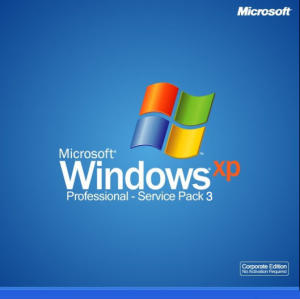
Windows XP Pro SP3 (Activated)

Label:


Windows XP Professional delivers a reliable foundation you can count on to keep your computer up and running when you need it most. Not only is the operating system more reliable, it also offers features that make it much faster and easier to recover from system problems. Windows XP Professional, the new standard in reliability and performance, is designed for businesses of all sizes, and for individuals who demand the most from their computing experience. With the ultimate communication and collaboration 

Installation Instructions:

1. Burn .ISO to disk or transfer it to a bootable USB.

2. Go into your BIOS and change your boot preferance to either disk or USB (Depending on which method your using to install).

3. Install as normal.

JOB DONE!!!

Your newly installed copy of Windows XP is now activated and fully updateable and will pass the MS validation test.

Windows XP SP3 Activated .ISO INFO:

CRC32: 95a25d2b
MD2: 4d7745fb53aa6d4c948cc489e44912ad
MD4: 42e90ce4636046e4f7457d8d326464c2
MD5: c870c1d60c4576476d7e6f62ff3d23e2
SHA1: 77b6ced191e65925d8d48f05e7d0e24964a0d9d8

DOWNLOAD
MAGNET LINK [TinyPaste]

Posted By Unknown 9/29/2011

Tuesday, June 7, 2011

Adobe DreamWeaver CS5 + Keygen

Adobe Dreamweaver (formerly Macromedia Dreamweaver) is a web development application originally created by Macromedia, and is now developed by Adobe Systems, which acquired Macromedia in 2005.
Dreamweaver is available for both Mac and Windows operating systems. Recent versions have incorporated support for web technologies such as CSS, JavaScript, and various server-side scripting languages and frameworks including ASP, ColdFusion, and PHP.
Adobe DreamWeaver CS5 Logo


Features

Dreamweaver allows users to preview websites in locally installed web browsers. It provides transfer and synchronization features, the ability to find and replace lines of text or code by search terms and regular expressions across the entire site, and a templating feature that allows single-source update of shared code and layout across entire sites without server-side includes or scripting. The behaviours panel also enables use of basic JavaScript without any coding knowledge, and integration with Adobe's Spry Ajax framework offers easy access to dynamically-generated content and interfaces.
Dreamweaver can use third-party "Extensions" to extend core functionality of the application, which any web developer can write (largely in HTML and JavaScript). Dreamweaver is supported by a large community of extension developers who make extensions available (both commercial and free) for most web development tasks from simple rollover effects to full-featured shopping carts.
Dreamweaver, like other HTML editors, edits files locally then uploads them to the remote web server using FTP, SFTP, or WebDAV. Dreamweaver CS4 now supports the Subversion (SVN) version control system.

Syntax highlighting

As of version 6, Dreamweaver supports syntax highlighting for the following languages out of the box:
  • ActionScript
  • Active Server Pages (ASP).
  • ASP.NET (no longer supported as of version CS4 - Click Here)
  • C#
  • Cascading Style Sheets (CSS)
  • ColdFusion
  • EDML
  • Extensible HyperText Markup Language (XHTML)
  • Extensible Markup Language (XML)
  • Extensible Stylesheet Language Transformations (XSLT)
  • HyperText Markup Language (HTML)
  • Java
  • JavaScript
  • JavaServer Pages (JSP) (no longer supported as of version CS4 - Click Here)
  • PHP: Hypertext Preprocessor (PHP)
  • Visual Basic (VB)
  • Visual Basic Script Edition (VBScript)
  • Wireless Markup Language (WML)
It is also possible to add your own language syntax highlighting. In addition, code completion is available for many of these languages.

Version History

ProviderMajor versionMinor updateRelease dateNotes
Macromedia1.01.0December 1997First version. Mac OS only.
1.2March 1998First Windows version.
2.02.0December 1998
3.03.0December 1999
UltraDev 1.0June 1999
4.04.0December 2000
UltraDev 4.0December 2000
6.0MX29 May 2002
7.0MX 200410 September 2003
8.08.013 September 2005Last Macromedia version.
Adobe9.0CS316 April 2007Replaces Adobe GoLive in Creative Suite.
10.0CS423 September 2008
11.0CS512 April 2010
11.5CS5.512 April 2011
ColorLegend
RedOld version, no longer supported
YellowOld version, still supported
GreenCurrent version

DOWNLOAD

MediaFire
PART 1

PART 2

PART 3

PART 4
RAR Password: www.remo-xp.com

KEYGEN

Posted By Unknown 6/07/2011

Thursday, May 19, 2011

Revo Uninstaller Pro 2.5.9 + Keygen

Revo Uninstaller, developed by the VS Revo Group, is a software utility for the Microsoft Windows operating system designed to be an alternative to the built-in Windows "Add/Remove Programs" control panel applet.
The main feature of Revo Uninstaller is to remove unnecessary files and registry entries left behind by incomplete program uninstallation routines.

Available editions
The product is available in two different editions: A "pro" edition distributed under a shareware licensing model, and a "free" edition distributed as freeware.
The shareware edition has the following additional features compared to the freeware edition:
  • Real-Time monitoring of system changes during install of programs.
  • Forced Uninstall remove remnants of already uninstalled programs.
  • Multi-level Backup system including full Registry backup.
  • Print and Print Preview of installed programs.
  • Export of installed programs in TXT, HTML and MS Excel.
  • Customizable and flexible User Interface.
  • Visual themes support.
  • Full 64-bit compatibility Windows XP, Windows Vista and Windows 7.
System requirements
Hardware requirements call for an Intel Pentium 133 MHz processor or equivalent, 64 MB of RAM, and 5 MB of free hard disk space. Administrator privileges are required.
For systems where Revo Uninstaller cannot or should not be installed, a portable version is available that can be started directly (e.g. from a USB stick) without requiring an installation and without leaving files or registry entries on the computer.

Features
Uninstalling software
Revo Uninstaller begins with listing all the installed programs found on the user's computer. If Revo Uninstaller fails to list a particular program, the feature "Hunter Mode" can be used to manually select the program to uninstall.
When uninstalling software, Revo Uninstaller prompts the user for which particular "mode" to use, "built-in", "safe", "moderate", or "advanced". The built-in option simply runs the application's bundled uninstaller. The safe option only removes files which mostly likely can be removed without any impact on system stability and proper functioning. The moderate and advanced modes scan deeper in the registry and folders (directories).
In case the user wishes to roll back an uninstallation, Revo Uninstaller can create a System Restore point.
Next, Revo Uninstaller runs the program's built-in uninstaller, if possible. Sometimes the built-in uninstaller may be corrupted or missing. In cases when the built-in uninstaller prompts for a reboot after it has completed, it is recommended to cancel the reboot and continue with Revo Uninstaller.
After the built-in uninstaller has completed, Revo Uninstaller proceeds to scanning the hard disk for leftover files using alghoritms. Users can exclude certain folders (directories), file extensions, and even hard disks from scanning to ensure a critical file is not removed by accident. Once additional scanning has completed, the user is presented with a list of registry entries and files. The user can decide which files to delete or to keep. Revo Uninstaller will prompt if a reboot may be necessary to remove all files completely, as some may still be marked as "in use" (and thus the operating system will not allow them to be deleted).
Revo Uninstaller finishes the uninstallation by offering the user to go back and choose a deeper scanning mode.
Other features
Revo Uninstaller also includes several other computer maintenance features:
  • Junk Files Cleaner: Deletes temporary application files.
  • Auto Run Manager: Deletes or disables applications which run at startup.
  • Browsers Cleaner: Removes Internet Explorer, Firefox, Opera, and Netscape browsing history and cache.
  • Windows Cleaner: Clears temporary Windows files.
  • Evidence Remover: Prevents restoration of deleted files by overwriting free space.
  • Unrecoverable Delete: Overwrites and then deletes selected files and folders in order to prevent their restoration.
  • Microsoft Office Cleaner: Clears the recently used file history in Microsoft Office 2000 through 2007
  • Windows Tools: Provides shortcuts to commonly used tools in Windows, such as System Restore.
  • AutoUpdate: Checks for new program builds. It can download and install new versions and display a summary of changes incorporated into the latest version.

DOWNLOAD
Revo Uninstaller Freeware

Revo Uninstaller Pro 2.5.9 + Keygen

Posted By Unknown 5/19/2011

Saturday, April 2, 2011

WinRAR 4.00 + Keygen

WinRAR is a shareware file archiver and data compression utility developed by Eugene Roshal, and first released in autumn of 1993. It is one of the few applications that is able to create RAR archives natively, because the encoding method is held to be proprietary.

FEATURES

WinRAR supports the following features:
  • Complete support for RAR (WinRAR native conversion format) and ZIP archives, and unpacking of ARJ, LZH, TAR, GZ,ACE, UUE, BZ2, JAR, ISO, EXE, 7z, and Z archives.
  • Multithreaded compression
  • The ability to create self-extracting and multi-volume (split) archives.
  • Data redundancy is provided via recovery records and recovery volumes, allowing reconstruction of damaged archives.
  • Support for advanced NTFS file system options and Unicode in file names.
  • Optional archive encryption using AES (Advanced Encryption Standard) with a 128-bit key.

CHANGELOG

Below is a summary of version information. Version 2.00 was released on September 6, 1996.
  • Since version 2.90, the new RAR3 archive format is implemented. The new compressed archives cannot be managed by old versions of WinRAR.
  • Since version 3.50, WinRAR adds support for interface skins and themes and support Windows XP x64.
  • Since version 3.60, WinRAR includes a multithreaded version of the compression algorithm, which improves compression speed on systems with multiple, dual-core, or Hyper-threading-enabled CPUs.
  • Since version 3.70, WinRAR features support for Windows Vista.
  • Since version 3.80, support for ZIP archives, which contain Unicode file names in UTF-8.
  • Since version 3.90, WinRAR adds support Windows x64 natively and support Windows 7. Also it enhanced support for multithreading


Download WinRAR
WinRAR Server
WinRAR for Windows (32-Bit): CLICK HERE
WinRAR for Windows (64-Bit): CLICK HERE


CNET Server
WinRAR for Windows (32-Bit): CLICK HERE
WinRAR for Windows (64-Bit): CLICK HERE


Download Keygen
WinRar 4.00 Beta (Windows): CLICK HERE

Download WinRAR themes
WinRAR Themes: CLICK HERE

Download WinRAR for other OS
WinRAR for Linux (32-Bit): CLICK HERE
WinRAR for Linux (64-Bit): CLICK HERE
WinRAR for FreeBSD: CLICK HERE
WinRAR for Mac OS X: CLICK HERE

Posted By Unknown 4/02/2011

AVG Internet Security 2011 + Keygen

AVG Internet Security 2011

AVG Internet Security 2011 is antivirus software on computers that are equipped with security features while browsing in cyberspace. All the features of the AVG Anti-Virus 2011 is on this program, coupled with the component settings and System Tools Firewall and Anti-Spam. The software was officially released in early October 2010 with version 10.0.1120 (update October 23, 2010 is version 10.0.1144) and has fully supported the Indonesian interface with good grammar and correct. In the virus database update version 422/3213 dated 23 October 2010, the program claims to have been able to recognize up to 3,317,876 173 055 kinds of viruses and spyware.

History

The brand name AVG comes from Grisoft's first product, "Anti-Virus Guard", launched in 1992 in Czechoslovakia. In 1997, the first AVG licenses were sold in Germany and UK. AVG was introduced in the U.S. in 1998.
The AVG Free Edition helped raise awareness of the AVG product line.
In 2006, the AVG security package grew to include anti-spyware, as AVG Technologies acquired ewido Networks, an anti-spyware group. That same year, Microsoft announced that AVG components would be available directly within the Windows Vista operating system.
AVG Technologies acquired Exploit Prevention Labs (XPL) in December 2007, and incorporated that company's LinkScanner safe search and surf technology into the AVG 8.0 security product range released in March 2008.
In January 2009, AVG Technologies acquired Sana Security, a developer of identity theft prevention software. This software was incorporated into the AVG security product range released in March 2009.
According to AVG Technologies, over 110 million users have AVG Anti-Virus protection, including users of the Free Edition.


System Requirements


Here's what you'll need for AVG Internet Security to protect your online world.

Computer Hardware

Minimum system requirements
ProcessorIntel Pentium 1.5 GHz or faster
Memory512 MB of RAM
Hard disk free space (for installation)750 MB

Recommended system requirements
ProcessorIntel Pentium 1.8 GHz or faster
Memory512 MB RAM
Hard disk free space (for installation)1400 MB

Operating systems

AVG Internet Security is compatible with:
Operating SystemAVG Internet Security 2011
MS Windows XPYes
MS Windows XP Pro x64 EditionYes
MS Windows VistaYes
MS Windows Vista x64 EditionYes
MS Windows 7Yes
MS Windows 7 x64 EditionYes

Web browser

AVG's LinkScanner® technology is compatible with:
  • Microsoft Internet Explorer
  • Mozilla Firefox

Languages

AVG Internet Security is available in the following languages:

LanguageAVG Internet Security 2011
Bahasa (Indonesia)Yes
Brazilian PortugueseYes
Chinese TraditionalYes
Chinese SimplifiedYes
CzechYes
DanishYes
DutchYes
EnglishYes
FrenchYes
GermanYes
HungarianYes
ItalianYes
JapaneseYes
KoreanYes
MalayYes
PolishYes
Portuguese (Portugal)Yes
RussianYes
SerbianYes
SlovakYes
SpanishYes
TurkishYes


Download


AVG


Online & Offline Installer

User's manual (PDF): CLICK HERE

Updates: CLICK HERE


Softpedia

32-Bit: CLICK HERE

64-Bit: CLICK HERE


Download Keygen


Ziddu

AVG Internet Security 2011: CLICK HERE

Posted By Unknown 4/02/2011

TuneUp Utilities 2011 + Keygen

TuneUp Utilities is a utility software suite for Microsoft Windows designed to help manage, maintain, optimize, configure and troubleshoot a computer system. It is produced and developed by TuneUp Software GmbH, headquartered in Darmstadt, Germany and co-founded by Tibor Schiemann and Christoph Laumann in 1997. The American version of the software is distributed by TuneUp Corporation, a wholly owned subsidiary of TuneUp Software GmbH located in Miami, Florida.
As of 2011, nine versions of TuneUp Utilities have been released and the number of included components have been increased from sixteen to thirty-two. TuneUp Utilities have attained generally positive reviews, although multiple reviewers did not approve of its price for value.

TuneUp Utilities 2011 Start Center

OVERVIEW

The first version of the software was released in 1997 under the name TuneUp 97. Since then, eight versions have been released over the years.
TuneUp Utilities 2003 is the first version to have Utilities suffix added to its name and to have become available in English and French, as well as the original German language. It consists of 16 individual tools accessible through a main interface, dubbed Start Center, as well as the Windows start menu. It includes features to clean the hard disks, clean and defragment the Windows Registry, optimize Windows and Internet connection settings and change the look and feel of Windows. It also provides features targeted at users with an intermediate or advanced level of computer knowledge that enables them to edit the registry, manage running processes, uninstall programs, shred and undelete files, and display system information. In addition to the previously-supported Windows 95 and Windows 98, TuneUp Utilities 2003 also supports Windows 2000, Me and Windows XP.
TuneUp Utilities 2004 introduces TuneUp 1-Click Maintenance, a component that allows users to automatically carry out a set of routine maintenance tasks in a batch. Another new component in this version is TuneUp WinStyler, a tool which allows users to change the graphical appearance of Microsoft Windows, including the system icons and the login screen of Windows XP. In the subsequent versions, this tool is called TuneUp Styler. Other improvements includes registry defragmentation support for Windows 2000 and XP.
TuneUp Software skipped a 2005 version and released as next version TuneUp Utilities 2006. In TuneUp Utilities 2006, optimization, customization and disk cleaning tools support Mozilla Firefox. Also, TuneUp StartUp Manager, a component of TuneUp Utilities 2006, displays editorial rating and explanations about well-known programs that start during computer startup, thus enabling them to make more informed tune-up decisions about those startup program. Finally, TuneUp Styler, the visual customization component of TuneUp Utilities 2006, also supports changing the boot logo of Windows XP.
TuneUp Utilities 2007 features two new components. The first, TuneUp Disk Doctor, is a graphical interface to CHKDSK that finds and fixes errors on hard disks. The second, TuneUp Disk Space Explorer, analyzes the contents of selected drives and displays statistics and charts about the size and the contents of files and folders on the analyzed drive. It helps users identify the causes of disk space occupation and discover items that can be deleted to free up disk space. TuneUp Utilities 2007 also supports Windows Vista.
TuneUp Utilities 2008 incorporates two more components: TuneUp Drive Defrag, a disk defragmentation tool, and TuneUp Repair Wizard, which fixes some of the common Windows problems. TuneUp Utilities 2008 no longer has separate disk cleanup component; the disk cleanup functionality is now part of the Start Center, under a new Gain disk space section.
In the 2009 version, the TuneUp Utilities Start Center includes a new category that analyzes the system and then displays the current status as well as available recommendations (if any) in the three areas System maintenance, Speed and System status. New tools in this version are TuneUp Speed Optimizer, which aims to identify and disable unused programs, services and settings that slow down the system, and TuneUp Shortcut Cleaner, which finds and deletes broken shortcuts. Also in 2009 version, TuneUp Styler can change the Windows Vista logo animation displayed during startup.
Starting with TuneUp Utilities 2010, TuneUp Utilities is compatible with Windows 7. A new Turbo Mode introduced in this version allows to disable multiple background functions of Windows and programs with one click, like Windows Aero, Windows Search, Windows Error Reporting or synchronization with mobile devices. Another new feature, TuneUp Live Optimization, dynamically adjusts the execution priorities of running processes to keep the system responsive under high load.
TuneUp Utilities 2011 in list view mode, showing all its components.
 
TuneUp Utilities 2011 features a new tool called TuneUp Program Deactivator; it is claimed to be the first tool that allows user to disable programs that impose significant system, thereby eliminating the system load caused by those programs without uninstalling them. If the user try to start a disabled program again, TuneUp Program Deactivator automatically re-enables the program on the fly. Furthermore, a new program rating functionality shows how other TuneUp Utilities users have rated the usefulness of a given program on a scale of 1 to 5 stars. Also in TuneUp Utilities 2011, the Start Center includes a Tuning Status, which tracks and displays optimization progress and highlights areas with remaining optimization potential.


OS SUPPORT

The following table shows which versions of TuneUp Utilities support which version of Microsoft Windows operating system.

Operating system Earliest version Latest version
Windows 95 97 2003
Windows 98 97 2007
Windows Me 2003 2007
Windows 2000 2003 2008
Windows XP with Service Pack 1 or earlier 2003 2008
Windows XP with Service Pack 2 or later 2009 2011
Windows XP Professional x64 Edition 2006 2011
Windows Vista 2007 2011
Windows 7 2010 2011

REVIEWS

TuneUp Utilities received generally-positive reviews. Computer Shopper magazine reviewed TuneUp Utilities 2009 and give it a score of 8 out of 10. It commended TuneUp Registry Cleaner as well as the hard-drive-related components of product but also noted that some tools are superficially implemented and that this suite lacks an antivirus and a personal firewall. TuneUp Utilities 2009 was voted #37 of "The Top 100 Products of 2009" and won the award "Best Utility Suite" of Computer Shopper.
CNET also reviewed TuneUp Utilities 2009 and gave it 5 stars out of 5. “To call TuneUp Utilities 2009 useful would drastically understate the situation”, said Seth Rosenblatt, an associate editor with CNET. He assessed TuneUp Utilities as a powerful and easy-to-use set of tools, with its disk cleanup and registry cleaner the “bread-and-butter” of the entire set.
PC World's Preston Gralla reviewed the 2010 version and commented that TuneUp Utilities is a comprehensive suite that “includes everything from a startup optimizer to a driver [sic] defragmenter, from an overall speed optimizer to a Windows Registry cleaner, and more.” However, he said that the high price of the entire suite ($50) might make the purchase decision more difficult. Preston had also previously reviewed TuneUp Utilities 2009 for PC Advisor and gave it 4.5 stars out of 5 stars.
PC Magazine reviewed TuneUp Utilities 2011 and gave it a score of 4 out of 5. “Overall, the software does a fine job of revitalizing a worn PC," commented Jeffrey L. Wilson, PC Magazine software analyst. He appreciated the product's one-click repair feature and the subsequent reduction in his test PC's boot-time. However, Wilson criticized the software license that only permits installation on three PCs, contrasting it with Iolo System Mechanic 10, a competing product that allows an unlimited number of installations in the same household.
TuneUp Utilities also received a Softpedia Pick award from Softpedia.Although Alex Muradin, Softpedia editor, expressed concern over the lack of proper technical support for TuneUp Utilities 2006, he gave this product a final score of 5 out of 5. However, it is notable that he gave this product a subscore of 3 out of 5 for Pricing/value.
Christian Immler characterizes TuneUp Utilities as a classic amongst tuning tools.
DOWNLOAD
TuneUp 2011 + KEYGEN
[MEGAUPLOAD]

Posted By Unknown 4/02/2011

 
Claim Free Satoshis Now!